On Tuesday after school, I was lucky enough to be given the opportunity to present what my learners had been doing this year at the Manaiakalani Create Staff Meeting held at Stonefields school. It involved hands on creating and an explanation of how in Room 6 we were able to Learn, Create and Share across the curriculum.
Wednesday, 2 June 2021

Monday, 24 May 2021
Developing Maths Langugae
Over the past 2 weeks we have been focusing on how to recognise and work out if a number is odd or even. During this time we have made baskets to collect the numbers that are odd and even both physically and digitally.
We looked at how we can look at the last digit of a number to see if the number is odd or even. During our sharing time myself or one of the students would re-voice what a student said for example:
Student A: 38 is an even number because of the 8
Teacher: So are you saying because the last digit is an 8 it is an even number?
Student A: Yes, that last number is 8 and I know that the numbers that end with, 2, 4, 6, 8 or 0 are even numbers.
Student C: I know that numbers that end with a 1, 3, 5, 7 or 9 are odd numbers.
Teacher: Yes that last number or digit helps us to see or decide if it's an odd or even number.
I then explained to the students that we would also be able to share the number between 2 and if both people got the same or equal amount for example: 7 and 7 it would be an even number, but if the people got different for example: 7 and 8 it would be an odd number.
I then set a task for students to work out odd and even numbers through sharing. I assumed, in error, that my students understood sharing as we share our scissors, we share games, and we had talked about what sharing looked like and even did an example on the mat of sharing the marbles between 5 people.
When students worked independently working out if a number was odd or even by sharing we ended up with all sorts of results.
Student A: 10 + 8 =18 this is an even number because they both end in an even number (meaning the 10 and the 8).
Student B: 10 + 15 = 25 this is odd because the total ends in a 5
Student C: 9 + 7 = 16 this is odd because the two numbers are different (the 9 and 7 are not the same).
I stopped the session and decided to try again the next day with a different approach. We begun our session by making groups of 5 or 6 and placing counters in the middle, for the students to share among themselves. After a short amount of time I stopped the students and asked them to count how many counters they each had. Not one of the groups had the same amount as each other we had 9,12,11 all from the same group.
I then asked the students if we share equally what would that look like. After much discussion one student stated that thinking about the word equal we should all have the same. Other students agreed with, yes that's right, Yea equal means the same. We then tried the process of sharing again. This time we had a little more success in that 2 groups were successful at sharing equally. I then asked these groups to share what they had done to be successful.
They shared with the class that they took turns I re-voiced this and said so you are saying that each person had to take a turn in the correct order is that correct because I know some of the other groups took turns but they didn't end up with equal or the same amount of counters.
Student A: Yes Ms that is right you can't take your turn until the person beside you has had their turn.
Teacher: Ok let's try that again.
Here are some images of us sharing equally so that we all have the same.


Now that we can equally share in a large group we are going back to having a partner to see if the number is odd or even.
Teacher: When we are sharing our number how will we know if the number ends up being an odd or even number?
Student A: I think there will be a counter left over in the middle because we both have to have the same for it to be an even number.
Student B: Yes if one person has 1 more than the other it is an odd number.
Teacher: So if we lined up outside and I said that I wanted two equal lines would that be an odd or even number?
Student C: I think if the numbers were both the same the number would be an even number.
We then proceeded to line up outside, we had 13 in one line and 14 in the other line.
Student D: Ms if we turn to our partner and hold hands if everyone can hold hands with someone we will have an even number.
Student E: Ms I don't have a partner, I'm the odd one out. Our number must be odd.
The next few days whenever we lined up to go somewhere my students wanted to work out if they had an odd or even number. I have since set an odd and even task where students used both the strategies of working out an odd or even number (last digit and equal sharing). Although most students prefer to use the last digit strategy (because they have realised they can work out if a number is odd or even whatever the size of the number) I knew that it was important for them to have the knowledge and understanding of equal sharing, especially as we move on to multiplication and arrays.
Wednesday, 5 May 2021
Developing my Oral Language Programme Across the Curriculum
This week I have been trying to access my students prior knowledge by remembering to include reading, talking and writing to help my students to make connections, and to make my sessions full of rich oral language.
Our poem of the week was Autumn Leaves. Before introducing the poem I asked my students if they could tell me anything about seasons. One student asked if summer was a season, I replied with yes summer is a season, we have four seasons. Can anyone think of another season which in turn led to us writing down the four seasons; Spring, summer, Autumn and Winter.
I followed this up by asking my students what season they thought it was now and provided the options of where to move to in the classroom if they believed the season to be Spring, Summer, Autumn and Winter. All seasons were covered by this activity. I then proceeded to ask each group why they thought it was their chosen season.
Spring: I know we have had summer, so I think it is Spring.
Summer: The sun is shinning and it is hot. (These students were sat next to the window and the sun was flowing through the windows).
Autumn: I have been seeing the leaves and they are orange and brown.
Winter: In the morning it was very cold and the grass is cold and wet when I walked across it.
I continued to explain how they all had very good reasons for choosing the season they had. I then asked do you know what colour the leaves on the trees would be for the different seasons. One student then went to gather some leaves that were on the ground for us to look at. After further discussion we agreed with Autumn being the correct season.
Our poem was then introduced and we talked about how we could describe the action of the leaves as they fall from the trees. The students came up with words like drop, fall, fly, blow all of these were provided in sentences. I then agreed that they had good sentences and provided another word, flutter with the sentence: The leaves flutter like a butterfly down to the ground. The student then added to my sentence words like, slowly fluttered, softly fluttered.
After going over our poem my students then glue this into their books and draw a background that suits the poem. Here are two examples:


After our poem we moved onto maths. we have been looking at making groups to five using simple addition and subtraction. I decided that we would make a display of these facts using the autumn leaves. Here are a few examples of our autumn facts to five.


Sunday, 2 May 2021
Manaiakalani T.O.D.
Manaiakalani Cluster Teacher Only Day
To end our term we met as a cluster at Glen Taylor School to develop our knowledge on Effective Reading Practice. We each attended three sessions, after hearing from the keynote speakers:Dr Rae Si'ilata and Kyla Hansell.
Dr Si'ilata was my main lecturer for my TESSOL paper and it was good to be reminded of the simple things that we take for granted, and how different that may look for our students.
Below I have listed some of the main points that I was once again reminded of and the major impact these can have on our students and their learning.
- Teacher willing to share the power with the students in class, Making sure to value a students first language. This doesn't mean that the teacher must be fluent in this language.
- As a reader if we don't know or understand the context our predictions will not connect to the topic. (Dr Si'ilata provided a great example where we were asked to fill in the gaps of a text, without prior context. We all read the text as though it was about cleaning our teeth, but when the context was revealed it had been about a chicken farmer and how to stop his hens from getting infections).
- As teachers we need to provide texts that are mirrors to our students. This could be a text set in their homeland, a craft or art, faces of characters that reflect back the students faces of home.
- Don't teach words in isolation, it is much more meaningful in chunks when learning a new language.
- Use and access the Dual language books, these are also available as audio.
- Use the resources we have available, Our Students.
Session One: Reading Follow up and response tasks - Matt Goodwin link
- The follow up activities should build on purpose and students should be practising the strategies learnt during this time.
- Students only receive 20% of the reading time with the teacher make it good.
- Provide tasks that require them to read for a purpose, Skin in the Game.
eg. Debates, Movies, maps, Songs, Plays, Animations
- Don't spend to much of your reading time on what is expected in the follow-up activity. This could perhaps be covered in your writing sessions.

Session Two: Creating a Rich Oral Language Programme - Jo Gormly link
Jo shared at the beginning of her presentation how her school had been running Personal development sessions over two years with Dr Jannie Van Hees, who has developed many educational resources and programmes around the use of language and culture.
Deep Dive
To allow their students experiences to grow the school now has a deep dive topic every two weeks. This is a short breakdown of what those two weeks would look like.
Topic - Water
What do you think of when you hear the word water?
eg. bath, pool, tap, river, raining ...
This allows for prior knowledge language to be shared. Next a discussion on what water looks like, feels like. Where lots of different ideas can be shared and explored.
A video was then shared with the students Ranginui the sky father
A Tongan book - Walking in the Rain a dual language book (audio available)
Gifting of vocab when looking at the water cycle - This is provided with visual pictorials drawn by the teacher. At this time the teacher is also using lots of oral language eg. the sun makes the water get warmer and warmer and then it begind to evaporate ...
Write and say phrases - (lexical chunking)
Hands on experiences - going outside in the rain, splashing in puddles, dancing, Experiments displaying the water cycle etc.
Provide talking frames - provides the correct vocab to experience and practise.
Say and Do - what ever the teacher has to do, they explain in detail use correct language (no dumbing down).
eg. I taking my bucket to the tap, I'm holding my bucket under the tap, now I'm turning the tap on. I don't want to over fill my bucket so I'm going to turn the tap on slowly ...
Session Three: T Shaped Literacy for Juniors - Rebecca Jesson link
This is wide reading for high order thinking - 5+ a day.
Shared, Guided, Buddy, Independent - Practice. endurance, resilience.
- Independent reading - doesn't matter if it is not perfect
- Explicit vocab
- Talking/Wide reading - strategies to learn the words themselves, to gain word knowledge.
- Reading involves - talking, reading, writing (To connect)
- layer the learning over a week with 5+ texts
- Before reading - get prior knowledge out (discuss the book)
- Read the book - oral language
- Different meanings - across language
- Make meaning of the text - everyone can we have been making meaning since the day we were born.
- Provide provocation - Theme, transferable ideas:
Eg. Main character, side kicks
Main character's role, side kicks role
Relationship, who changes the most, who learns the most etc.
asking student do we want to change our minds, while reading, after discussion, at the end of the book.
- Link books - How to get help, Keep Trying, (Choose various texts covering this theme)
Friday, 2 April 2021
Ideas and Thoughts for the 2021 Year
This year our shared aim for 2021 is to produce a 1 ½ times accelerated shift for all students with a focus in maths, but of course, if this can be transferred across all curriculum areas, this would be amazing!
I found this clip on 'You Cubed' about brain science and thought it fit with our shared aim perfectly.
Our school year began with a teacher only day (T.O.D.) on maths with Marie Hirst. She has provided us with hands on activities that will engage our students from the very beginning. She discussed strategy of 'talk moves' that promote classroom conversations centred around maths but again, I feel this could be transferable across all curriculum areas.
This is the template for Talk moves that I have decided to use in my class of year 2/3 learners.
 |
Friday, 27 November 2020
Tuesday, 22 September 2020
Designing a Digital Maths Dictionary
My main focus of inquiry this year is word vocabulary through all curriculum areas. last week my students and myself have begun putting together a digital math dictionary to help with all the math language that we have been learning over the year.
Our first slides are all around time. I have tried to keep the language child friendly while still providing the correct language. To help me do this I have three columns, the first has the maths word, second the math meaning and third I have tried to add an image to help with understanding.


We will continue to add to this as we discover new maths language. I will also be adding the link to my class slides as from next term, so that my students can have easy access.
Tuesday, 1 September 2020
Design for learning, Teaching
Over lockdown, to help our students to learn I was making video presentations using screencastify. This provided rewindable learning for my students. When we came back to school, and we were asked to provide Ako Ano's ( rewindable learning) for our students, I decided to continue making these video tutorials for my students to help them with their learning.
Previously I had just recorded myself with a group of students and linked this to the Ako Ano image on their group slide on my site. I found this could be confusing, lots of different voices recorded in real time, for my students, especially if at the end of a session they couldn't remember what their learning was meant to be about.
By changing the way I make the rewindable learning, I have become very critical on myself. I now make a point of referring back to the intended learning intentions, show examples of writing or equipment needed to complete a set task around the learning something I feel I was sometimes missing out in real time. I use the slide show as an introduction to our learning and then use screencastify to record the slides while I talk through the learning with examples for the students to view.
This new system is also a bonus to any students who were out of the class at the time of their groups teaching or absent as they can very easily assess the learning that they may have missed.
Ako Ano Here are my Ako Ano's (rewindable learning)
Saturday, 8 August 2020
learning-focused culture
Over the past 3 weeks we have had a learning focus around different cultures. First we had Matariki. We celebrated by incorporating making Matariki stars and Matariki kites into our weekly programme through writing and maths. We made the stars and kites and then wrote up instructions of what materials we needed and how to make the stars and kites.


This week it was Cook Island Maōri Language week. We were kindly shared slides from the RTLB cluster 8 with lots of great clips, images and slides on different aspects of the cook islands from their history of the flag, to cultural dances, food, greetings, colours, numbers and much more. we used these slides to learn more over the week and then each student shared what it was that they had found interesting or had wanted to learn to the class. After the sharing the students made slides to put on their personal blogs of what they had enjoyed.


We also had a group of 8 students who wanted to begin their own dance group, after viewing the cook island dances. They are still practising and are hoping to share the dance with the class in the next few weeks, which I will video and add to this post. Once they have perfected their dance they wish to teach the whole class the dance in our 10 minute dance breaks at reading time.
I feel this was a great learning outcome for all students. they had an awesome time learning about the culture of the Cook Islands. Here is the link to all our individual and class blogs.
Friday, 1 May 2020
DFI Computational Thinking
Today is week 8 of our DFI sessions and I am so very grateful that I have been a part of this cohort as I have learnt so much. Being in the junior school I have not used a lot of the tools that are available and especially during this lockdown it has been a great help and provided myself with new ways of connecting to my students.
We have looked at EMPOWERMENT this morning both learners and teachers and how being digitally literate helps both learners and teachers take control of their lives in ways that we could not have imagined.
We have over come barriers of distance and time during this lockdown in being able to access the digital tools required to make learning accessible to all. My example of this would be on my class site for Maths. I wanted to use craft as a way to access maths learning in particular fractions (as in class we would normally use this type of activity in the juniors as a hands on activity helps develop the understanding.
Using a site that was made during DFI on dinosaurs I provided clips of activities to make and then through a slide show provided instructions and explanations of the fractions, for example:-
Take the kitchen roll and cut it in half for the dinosaurs legs or use 4 toilet rolls.



We have looked at EMPOWERMENT this morning both learners and teachers and how being digitally literate helps both learners and teachers take control of their lives in ways that we could not have imagined.
We have over come barriers of distance and time during this lockdown in being able to access the digital tools required to make learning accessible to all. My example of this would be on my class site for Maths. I wanted to use craft as a way to access maths learning in particular fractions (as in class we would normally use this type of activity in the juniors as a hands on activity helps develop the understanding.
Using a site that was made during DFI on dinosaurs I provided clips of activities to make and then through a slide show provided instructions and explanations of the fractions, for example:-
Take the kitchen roll and cut it in half for the dinosaurs legs or use 4 toilet rolls.
When thinking about how to make the dinosaur's , flower etc I needed to be aware that the video clips I was selecting were using nice card and paper that my students might not have access to. I looked around my house and have begun collecting all of my recycled goods that my students may have access to. So I then provided an example of the completed task using what I could easily find around my home.
I have made a new button during DFI on my class site to celebrate my students' art and craft which I have included below.

We also looked at the advice from Woolf Fischer on the need of 5+ a day. In the junior school we already practise this during sharing time, which we aim for after each learning session, where students get to talk about what they have learnt and the audience gets the opportunity to ask questions. But I will now also encourage the use of blog commenting, we were about to learn how to blog when we were forced into shut down, however through online correspondence and talking on the phone one of my pupils has begun to use blogger from home and records his work on a daily basis. I leave comments and he is beginning to reply to my comments. I have asked him to be my blogger expert when we return to school, he is very excited!
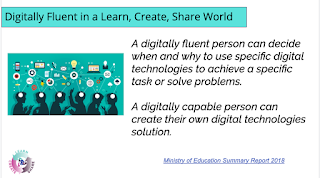
Next today we looked at the new digital curriculum that is broken into 2 parts.
1. Digital fluency for example knowing the correct terminology or language
2. Digital technology - providing opportunities for students to create their own digital solutions.

Kerry Boyde-Preece shared with us some very good links and web sites for us to view and discover so that we can help our students attain these goals
We were then given the opportunity to delve deeper block coding and how we could use this with our students. Here is my first attempt of block coding on a Minecraft voyage. It was fun, I'm sure my junior students would love to give it a try as long as it is available or something similar on the iPads. But to also remember that the digital curriculum is not solely on devices it can involve unplugged activities.

In the afternoon we had the opportunity to look and use coding further. I looked at Mihi Maker @ https://make.gamefroot.com/ unfortunately although I got the activity completed I was unable to publish, I just got the circle of doom for 30 minutes so decided to leave the site. If I get the opportunity to try again later in the week I will.
Friday, 24 April 2020
DFI Devices
Today we looked at being cybersmart and what this would look like. As teachers we need to empower our students to be positive when online both in their actions and the consistent positive use of language, unlike some of the media they may view which often has a negative view point.
When our students first became 1-1 digital users we needed to make sure that we could engage the students while also making them digital citizens globally.
Be internet Kind
Be internet Brave
Be internet Awesome
Be internet Smart
Be internet Strong
As teachers we need to make deliberate teaching acts of the cyber smart categories to ensure that our students are empowered and have equal equity and access to digital devices and the digital language.
Next we went to Hapara Wow! so much I didn't know, but I am a junior teacher.
Hapara makes sites visible to the student and students learning visible to the teacher.
We looked at how drive folders should be preset at the beginning of the year by one person in the school, because if students are requested to make their own folders they are hidden from teachers view.
We looked at how to view student's blogs and the blog commenting that has been happening.
We looked at sharing - if any documents are in here they need placed into the correct folders at least once a week.
We looked at Class info - this contains students emails and provides the opportunity of changing a students password (in the older years) by having them stand beside you.
Highlights - Can be used to help those students are finding it difficult to click on the correct link etc, not for informing students that they are doing something incorrectly, we should still be walking around our classrooms for that.
We then got the opportunity to feel what it would be like to use a chrome book, instead of our usual laptop and the advantages to our teaching of students by knowing essential short cuts and how the whole system works, therefore enabling us to help our students become more digitally fluent.
Here are a couple of the slide we had to complete during our digital dig of a chrome book. We were encouraged to this with our students at the beginning of each new year

 Unfortunately I then had to leave for our school online assembly, but luckily for me it was to cover the digital fluency on iPads. Using them in my class everyday I'm hoping I have a good understanding of this but I will see look at the tasks set.
Screencastify:
We have been looking at how to make a screencastify and were given the task of making a quick screecastify covering one of our cybersmart categories.
Below I chose to use smart surfing, and make a small clip demonstarting to my students how to use our junior search engine Kiddle.
I apologise as I forgot to change the title.
When our students first became 1-1 digital users we needed to make sure that we could engage the students while also making them digital citizens globally.
Be internet Kind
Be internet Brave
Be internet Awesome
Be internet Smart
Be internet Strong
As teachers we need to make deliberate teaching acts of the cyber smart categories to ensure that our students are empowered and have equal equity and access to digital devices and the digital language.
Next we went to Hapara Wow! so much I didn't know, but I am a junior teacher.
Hapara makes sites visible to the student and students learning visible to the teacher.
We looked at how drive folders should be preset at the beginning of the year by one person in the school, because if students are requested to make their own folders they are hidden from teachers view.
We looked at how to view student's blogs and the blog commenting that has been happening.
We looked at sharing - if any documents are in here they need placed into the correct folders at least once a week.
We looked at Class info - this contains students emails and provides the opportunity of changing a students password (in the older years) by having them stand beside you.
Highlights - Can be used to help those students are finding it difficult to click on the correct link etc, not for informing students that they are doing something incorrectly, we should still be walking around our classrooms for that.
We then got the opportunity to feel what it would be like to use a chrome book, instead of our usual laptop and the advantages to our teaching of students by knowing essential short cuts and how the whole system works, therefore enabling us to help our students become more digitally fluent.
Here are a couple of the slide we had to complete during our digital dig of a chrome book. We were encouraged to this with our students at the beginning of each new year


Screencastify:
We have been looking at how to make a screencastify and were given the task of making a quick screecastify covering one of our cybersmart categories.
Below I chose to use smart surfing, and make a small clip demonstarting to my students how to use our junior search engine Kiddle.
I apologise as I forgot to change the title.
Friday, 17 April 2020
DFI Enabling Access - Sites
Today we join again through google meet. This is now our new normal and is very appropriate for the Manaiakalani theme of visible learning.
The Manaiakalani inclusive model was first developed in 2006 with the first cluster of schools. In 2015 the model was taken wider into what are now known as outreach clusters and again in 2017.
Manaiakalani now reaches 24000 learners across New Zealand. Although there is lots of diversity within the different schools, because the same shared language is used we can all connect.

 Next we viewed examples of sites and evaluated these. this was for visual appeal and user experience. It was good to see how college and higher primary school use their sites compared with myself in the lower junior school.
We then got time to talk about our own sites with our group and take on board comments that were shared. We then spent time looking at our sites fixing up what needed to change and making videos, slides etc for the coming week.

I was unhappy with my button for Art & Craft Celebrations as I quickly made it yesterday after receiving emails of art from my students.
I tried and tried but the new button kept on having an ugly outline that I didn't want, but Gerhard to the rescue. I had downloaded the button as a png but then screen shot to add to my site, all I had to do was drag the png to my site.
 I have also made new slides for next week and recorded my big book and activities for the week. A very productive time.
The Manaiakalani inclusive model was first developed in 2006 with the first cluster of schools. In 2015 the model was taken wider into what are now known as outreach clusters and again in 2017.
Manaiakalani now reaches 24000 learners across New Zealand. Although there is lots of diversity within the different schools, because the same shared language is used we can all connect.


We then got time to talk about our own sites with our group and take on board comments that were shared. We then spent time looking at our sites fixing up what needed to change and making videos, slides etc for the coming week.

I was unhappy with my button for Art & Craft Celebrations as I quickly made it yesterday after receiving emails of art from my students.
I tried and tried but the new button kept on having an ugly outline that I didn't want, but Gerhard to the rescue. I had downloaded the button as a png but then screen shot to add to my site, all I had to do was drag the png to my site.

Friday, 3 April 2020
DFI Collaborate Sites
We began our day by completing a gratitude chain, stating something that we were grateful for and acknowledging the person before. I felt that this would be a great ice breaker starting back with our students online.
Next we looked at visible Kaupapa:-
visible being a clear crisp vision - of our students learning both for students, whanau at home and teaching colleagues. Learning requires to be rewindable and students need to be able to access their learning and next steps in a way that doesn't require them to read their teachers mind. This was once again backed up by experts (in this case, John Hattie) that if students know the learning process, have genuine access and are the centre of their learning they are much more successful.
We looked at the first part of multi text and multi modal delivery where the student is able to self scaffold and become engaged in their learning in an exciting format using a range of texts and modals that would appeal to their style of learning.
Making a site was a main focus of the day, I liked how buttons can now be made on the site without having to make in google draw first, especially if you want to get a site up and running quickly. The personal touch can always be added at a later date.
We the split into small groups to make our own multi text / multi modal site. our group used jamboard that was new to me, to arrange our thoughts and ideas. I feel this could be a great way of brainstorming with my younger students and they would love changing the colour of the post it notes to show who had added the note.
Finally we made our own multi text / multi modal site. My group were working on the text Clever Little Dinosaur and using a frame work we had to develop knowledge and ideas around dinosaurs. Here is my end result (still needs some tweaking).

link
Next we looked at visible Kaupapa:-
visible being a clear crisp vision - of our students learning both for students, whanau at home and teaching colleagues. Learning requires to be rewindable and students need to be able to access their learning and next steps in a way that doesn't require them to read their teachers mind. This was once again backed up by experts (in this case, John Hattie) that if students know the learning process, have genuine access and are the centre of their learning they are much more successful.
We looked at the first part of multi text and multi modal delivery where the student is able to self scaffold and become engaged in their learning in an exciting format using a range of texts and modals that would appeal to their style of learning.
Making a site was a main focus of the day, I liked how buttons can now be made on the site without having to make in google draw first, especially if you want to get a site up and running quickly. The personal touch can always be added at a later date.
We the split into small groups to make our own multi text / multi modal site. our group used jamboard that was new to me, to arrange our thoughts and ideas. I feel this could be a great way of brainstorming with my younger students and they would love changing the colour of the post it notes to show who had added the note.
Finally we made our own multi text / multi modal site. My group were working on the text Clever Little Dinosaur and using a frame work we had to develop knowledge and ideas around dinosaurs. Here is my end result (still needs some tweaking).
link
Friday, 27 March 2020
DFI Friday - All connected through Meet
Today we looked at the need for our students to share their learning and how connected learners share. Sharing has been happening since time began but the way we can share all began to change in 2005 with the introduction of youtube, twitter etc.
Our sharing and responses to what we shared became automatic in far reached places, with instant response, unlike our usual mailing system. Although feed back and feed forward has always been available in our 1-1 or group discussions learners can now establish a much wider and authentic audience.
Students can share with a purpose and the audience can also choose to listen to you or not. Our chosen App, Blogger is not the coolest but it contains the all important 3 check system, it is secure and legal for all our school aged students.
Next we learnt how to use and make google forms, this could become very useful in these lock down times

Next we moved on to google My Maps. I had fun with this even though the sound and images were going in and out on my computer, the slide deck was very helpful. Here is a map of my twice a day walk with my dog Ernie. The first trip is in the dark at 4am and my second trip is between 6-7pm (daylight at the moment , but not for much longer).

I therefore walk 2.64 KM a day with my dog. My 10,000 steps are easy when you take into account my day at school with juniors and duties etc.
Sheets was next, this was a lot more tricky as I have not ever made my own sheet to add data. I use assembly a lot and e-asttle to add my student data but not starting from scratch. this is where I need to go and practise more!!!!
Subscribe to:
Posts (Atom)